
SSD vs HDD Comparison
In the evolving world of digital data, two key technologies dominate the storage conversation: SSD (Solid State Drive) and HDD (Hard Disk Drive). While both serve the same function—storing your precious files, games, and systems—they operate very differently. If you’ve ever wondered why SSD vs HDD comparison is such a hot topic, this guide will break it all down in plain terms.
If you’ve ever wondered why SSDs are considered faster and more reliable, this guide will break it all down in plain terms, with a spotlight on the most trending term: solid state drive.

What’s Inside Your Computer? Understanding the Battle: SSD vs HDD
Before you choose a storage device, it’s crucial to understand what SSD and HDD truly are. Without grasping their core differences, you might end up prioritizing the wrong one for your needs.
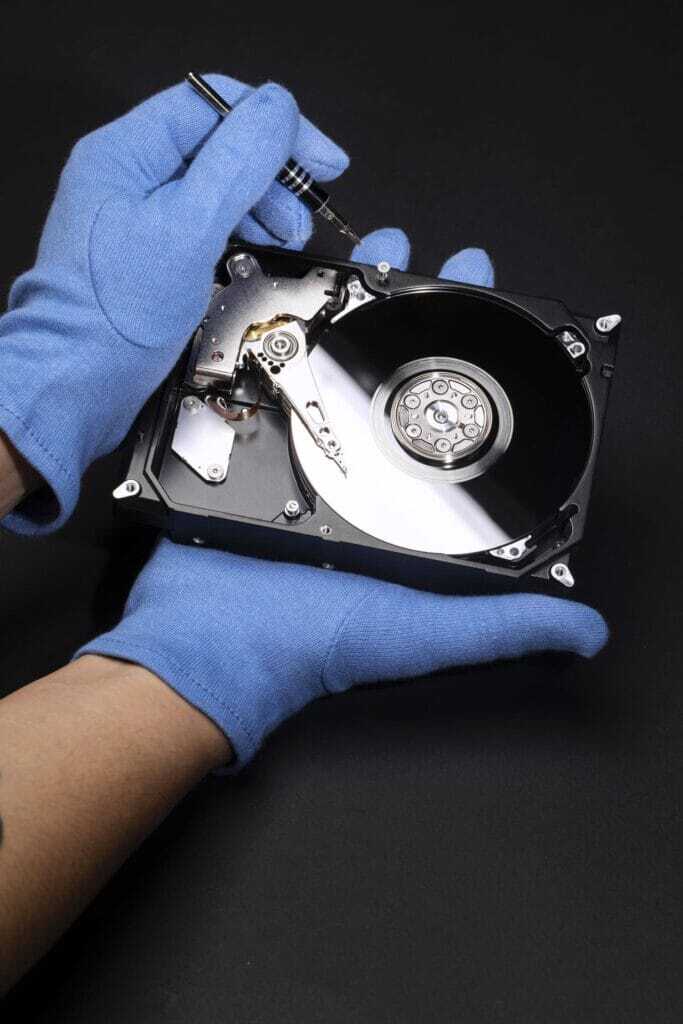
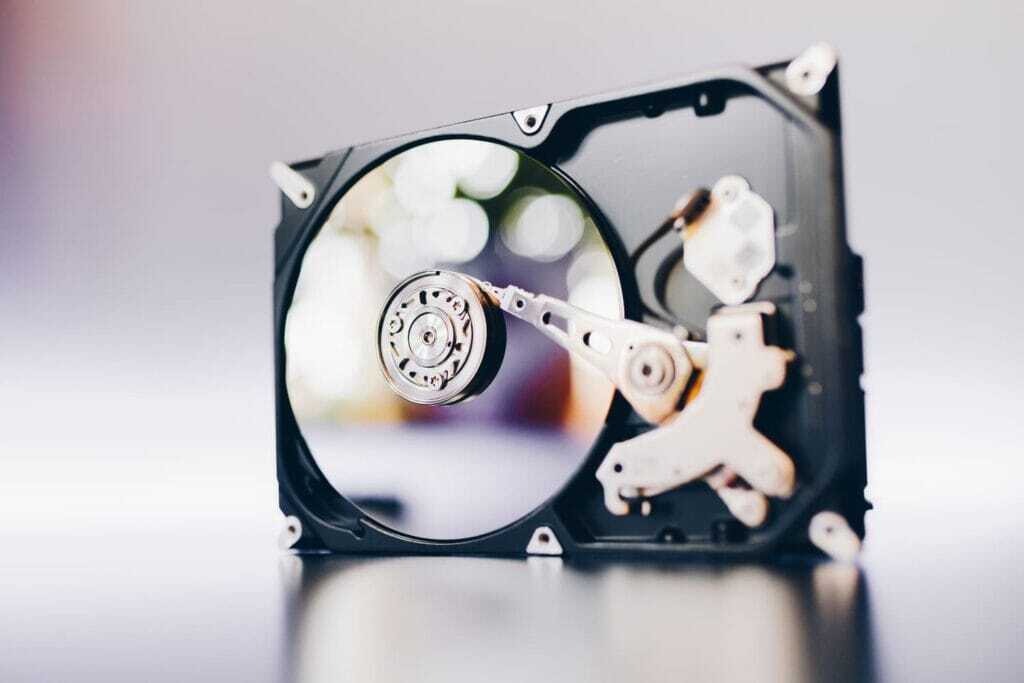
- HDD (Hard Disk Drive): Uses spinning magnetic disks to store data. Like a record player, a mechanical arm reads and writes data.
- SSD (Solid State Drive): Uses flash-based memory—no moving parts—which allows for faster data access.
This guide explains, step-by-step, why a solid state drive is the smarter and faster choice for most users.
What Is SSD and HDD? A Simple Comparison (SSD vs HDD comparison)
When you save a photo or boot up your laptop, you’re relying on storage. The two most common types are:
- HDD (Hard Disk Drive): Stores data on a spinning magnetic disk. Think of it like a record player with a mechanical arm reading the grooves.
- SSD (Solid State Drive): Uses flash memory, like a USB stick, with no moving parts.
| Feature | HDD | SSD |
|---|---|---|
| Speed | Slower (100–160 MB/s) | Faster (500 MB/s – 7000 MB/s) |
| Durability | Vulnerable to shock | Shock-resistant |
| Noise | Audible disk spin | Silent operation |
| Boot Time | 30-60 seconds | 10-15 seconds |
Solid state drive technology eliminates mechanical delay, delivering blazing-fast access to files, programs, and operating systems..
Solid storage devices have changed the way we use technology. In the SSD vs HDD comparison, SSD wins on most fronts thanks to its speed and efficiency.

What Is an SSD and How Does It Work?
A solid state drive stores data using NAND flash memory chips. These chips allow for near-instant data access, making SSDs much faster than HDDs.
- No moving parts = no latency
- NAND flash is non-volatile: data stays even without power
- SSDs use memory controllers to manage wear and access
solid state drive delivers high-speed, reliable, silent performance.
What Is an HDD and Why Has It Been Replaced? (SSD vs HDD comparison)
HDDs are traditional storage devices with spinning disks and moving read/write heads.
- Often used for bulk storage due to low cost
- Slower read/write speeds (mechanical delay)
- Prone to physical failure from drops or wear
Despite being cost-effective, solid state drive technology is replacing HDDs in most modern devices due to speed and durability.
Speed: Why Is SSD Faster Than HDD?
The difference comes down to mechanics vs. electronics. HDDs must physically spin and move to locate data. SSDs find data instantly with electronic signals.
- No moving parts = no latency.
- Parallel data processing boosts performance.
- SSDs support TRIM commands for smarter data management.
A solid state drive operates almost instantly, while a hard drive has to “warm up.”
Real-time data access is a key reason users choose a solid state drive over traditional hard drives
The primary factor in the SSD vs HDD comparison is speed. SSDs can retrieve data in milliseconds, while HDDs need time to spin and locate data physically.

Speed Showdown: SSD vs HDD in Real-World Performance
Boot Time: (SSD vs HDD comparison)
- SSD: 10-15 seconds
- HDD: 30-60 seconds
File Transfer: (SSD vs HDD comparison)
- SSD: 500–7000 MB/s
- HDD: 100–160 MB/s
Application Launch: (SSD vs HDD comparison)
- SSD: 1–2 seconds
- HDD: 5–10 seconds
solid state drive wins across all benchmarks.
Timeline: Evolution of HDDs and SSDs
From clunky mechanical disks to flash-fast memory chips, the SSD vs HDD comparison has evolved over decades.
1956: The First HDD
- IBM released the IBM 305 RAMAC, the first hard drive. It stored 5MB and weighed over a ton.
1956–1989: The Birth of Hard Drives
- IBM introduces the first HDD in 1956 with only 5MB of storage.
- By 1980, Seagate develops the first 5.25-inch HDD.
- HDDs become widespread in desktops through the 1980s.
- Seagate and Western Digital popularize 3.5-inch desktop drives.
- HDDs dominate personal computers.
1991: The First SSD Appears
- SanDisk creates a 20MB SSD for military use. High cost limits adoption.
1990–2005: SSD Concepts and Military Use
- Flash memory-based SSDs begin to appear for industrial and military use.
- High costs make SSDs impractical for consumers.
2006–2015: Consumer SSD Breakthrough
- Samsung and Intel introduce consumer SSDs with SATA connections.
- Solid state drive prices begin to fall slowly.
- PCIe and NVMe standards improve performance.
- Early SSDs offer speed but limited capacity.
2016–2025: NVMe and the SSD Revolution
- SSDs dominate laptops, gaming systems, and even servers.
- HDDs shift to archival and backup use.
- Companies like Western Digital and Crucial push SSD capacities past 4TB.
Solid state drive adoption has reshaped how we think about speed, silence, and resilience in computing.

Durability and Lifespan: SSD vs HDD Reliability
HDDs wear out due to mechanical parts. Every spin adds wear. SSDs, on the other hand:
- Use flash memory cells with limited write cycles.
- Advanced controllers spread writes evenly.
- Better in mobile devices and shock-prone environments.
In the real world, a solid state drive often lasts longer than a traditional HDD.
In the SSD vs HDD comparison, SSDs win in durability due to their non-mechanical nature, which makes them shockproof and long-lasting.
Durability under real-time conditions makes the solid state drive the reliable choice.
Noise and Power: A Quieter, Cooler Future
- HDDs generate noise from spinning disks and moving heads.
- SSDs are silent with no mechanical activity.
- SSDs consume less power—great for laptops and mobile devices.
A solid state drive enhances energy efficiency and reduces distraction. Silent operation and low energy use are key highlights in the SSD vs HDD comparison. HDDs are noisy and heat up faster.
Less noise and real-time responsiveness are hallmarks of a modern solid state drive.
Storage Capacity and Pricing (SSD vs HDD comparison)
- HDDs offer more gigabytes per dollar.
- SSDs are dropping in price but still more expensive per GB.
- For archiving and bulk storage, HDDs are ideal.
However, solid state drive price/performance ratio improves every year.
Although SSDs are more expensive per GB, the SSD vs HDD comparison shows that the price gap is closing every year.
The shift toward affordable, real-time storage options favors the solid state drive.
Why SSDs Are More Reliable Than Traditional Hard Drives
- No moving parts = fewer physical failures
- Resistant to shock, vibration, heat, and magnetic fields
- Better for mobile and mission-critical devices
Reddit users and tech reviewers often cite the solid state drive as the more reliable choice.
Power, Heat, and Noise: Environmental Advantages of SSDs
- Lower power draw (ideal for laptops)
- Generates less heat
- No noise or vibration
A solid state drive operates silently and efficiently.
How SSD Capacity Affects Performance (ADATA Insight)
- Larger SSDs have more NAND chips = better parallelism
- Higher capacity = better sustained speeds
- ADATA benchmarks show 2TB SSDs outperform 256GB models
When choosing a solid state drive, capacity can mean speed.
Risks and Weaknesses of SSDs: What Should You Know?
- TRIM command must be supported for long-term speed
- Power loss can corrupt data
- Limited write cycles (TBW, DWPD ratings)
Even a solid state drive has limitations—but they’re manageable with proper use
SSD in Gaming and Creative Workflows
- SSDs reduce game load times and asset streaming delays.
- Ideal for video editors using massive files.
- Speeds up rendering, caching, and previewing.
Modern gaming thrives on solid state drive performance. Gamers and creators benefit massively in the SSD vs HDD comparison, with SSDs cutting down load and render times.
Real-time performance boosts creativity and competitiveness with a solid state drive..
SSD or HDD? Which One Is Best for Your Needs? (SSD vs HDD comparison)
| Scenario | Best Choice |
|---|---|
| Gaming | SSD (fast loading) |
| Office Work | SSD (quick boot/apps) |
| Large Backups | HDD (cheap per GB) |
| Mixed Use | SSD (boot) + HDD (data) |
In 2025, the solid state drive is best for speed-focused users.
Benchmark Table: SSD vs HDD at a Glance
| Feature | SSD | HDD |
|---|---|---|
| Read/Write Speed | Faster (500 MB/s – 7000 MB/s) | Slower (100–160 MB/s) |
| Response Time | 0.1 ms | 5–10 ms |
| Durability | High – Shock-resistant | Low – Vulnerable to shock |
| Boot Time | 10-15 seconds | 30-60 seconds |
| Noise | Silent operation | Audible disk spin |
| Power Consumption | 2–5W | 6–15W |
| Average Lifespan | 150–2400 TB written | Shorter (mechanical wear) |
solid state drive shines in almost every metric.
Enterprise Use: SSD vs HDD in Business
- SSDs dominate in databases, virtualization, and cloud infrastructure.
- HDDs remain useful in cold storage and backup.
- SSDs reduce downtime and improve IOPS significantly.
A solid state drive ensures smoother business operations with minimal bottlenecks. For businesses, the SSD vs HDD comparison favors SSDs, especially for real-time data, databases, and virtualized environments.
For real-time analytics and transactions, a solid state drive is essential in business.

Portability and Mobile Devices (SSD vs HDD comparison)
- SSDs allow for slimmer, lighter devices.
- Shock resistance is crucial for on-the-go usage.
- No heat buildup, no fan needed.
This makes solid state drive solutions ideal for tablets, ultrabooks, and rugged PCs. Portability matters. In the SSD vs HDD comparison, SSDs enable slimmer, lighter, more shock-resistant devices.
Real-time portability demands solid state drive efficiency and toughness.
Security and Data Protection
- Many SSDs offer AES 256-bit hardware encryption.
- Self-encrypting drives (SEDs) for compliance use.
- Faster erasure and secure delete features.
A solid state drive can be both fast and secure. When it comes to security in the SSD vs HDD comparison, SSDs offer encrypted options and faster wipe capabilities.
Real-time security features make the solid state drive ideal for sensitive data.
Future Outlook: Where SSD Technology Is Headed
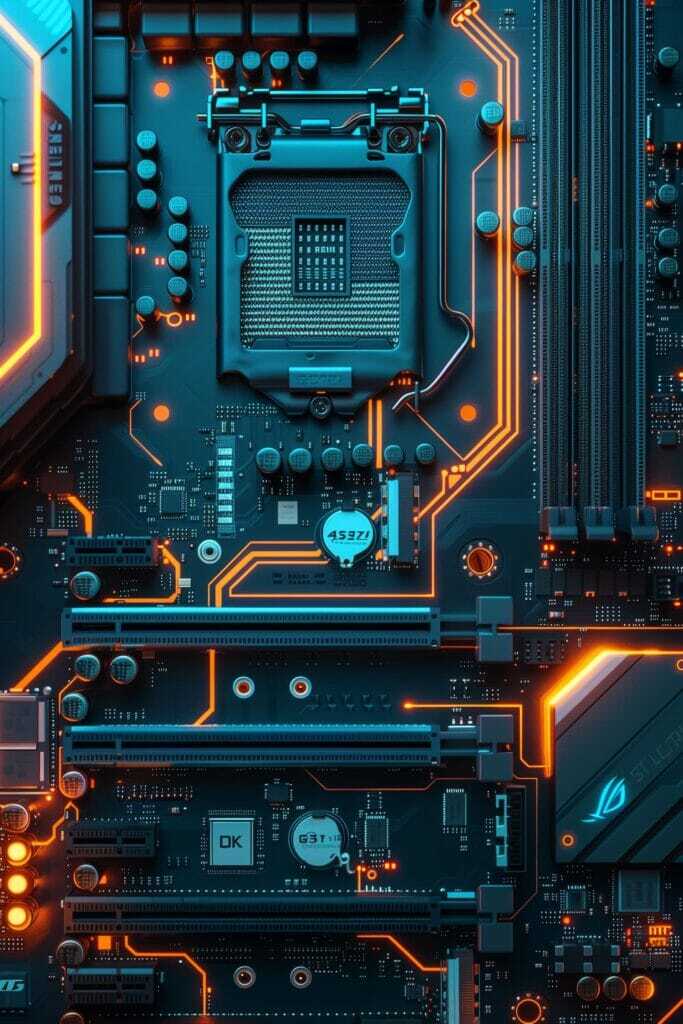
- PCIe 5.0 and Gen 5 SSDs are entering the market.
- 3D NAND allows higher capacity in smaller chips.
- AI-integrated SSDs for intelligent data routing.
The future of storage is undeniably solid state drive-based. Technological innovations clearly tilt the SSD vs HDD comparison in favor of SSDs with PCIe 5.0 and AI-enabled controllers.
Expect real-time innovation from the next generation of solid state drives.
Which One Should You Choose in 2025?
| Use Case | Recommended Drive |
| Budget desktop | HDD (more storage) |
| Gaming/Video editing | SSD (faster read/write) |
| Business laptop | SSD (lightweight, fast) |
| Data backup | HDD (large, affordable) |
If speed and reliability are your goals, go for an SSD. For massive storage on a budget, HDD still holds a place. Use cases define the winner. But in almost every modern scenario, the SSD vs HDD comparison leans heavily toward SSDs.
Real-time needs make solid state drive the top choice in most scenarios.
Final Thoughts: Why SSD Is the Future of Storage
- NVMe SSDs with PCIe 5.0 blazing new trails
- USB 4 and Thunderbolt 4 support
- Cloud, mobile, and enterprise adoption growing
The solid state drive is shaping the digital world’s foundation.
Summary Table: Expert Articles Breakdown
| Source | Focus Keyword | Tags | Highlight |
|---|---|---|---|
| Backblaze | SSD reliability | SSDreliability, durability, noMovingParts | High endurance, no moving parts |
| Kingston Tech | SSD speed | fastBoot, highBandwidth, PCPerformance | Fast boot, high data rates |
| Avast | SSD vs HDD comparison | quietStorage, energyEfficient, durable | Energy saving, silent, modern form factor |
| ADATA | SSD performance | NANDchips, performanceScaling, SSDtechnology | Parallel NAND structure boosts performance |
| SSD stability | stability, realWorld, logicalFailures | Users confirm reliability, risk is logical |
- Use tools like Macrium Reflect or Clonezilla
- Adjust BIOS: switch to AHCI mode
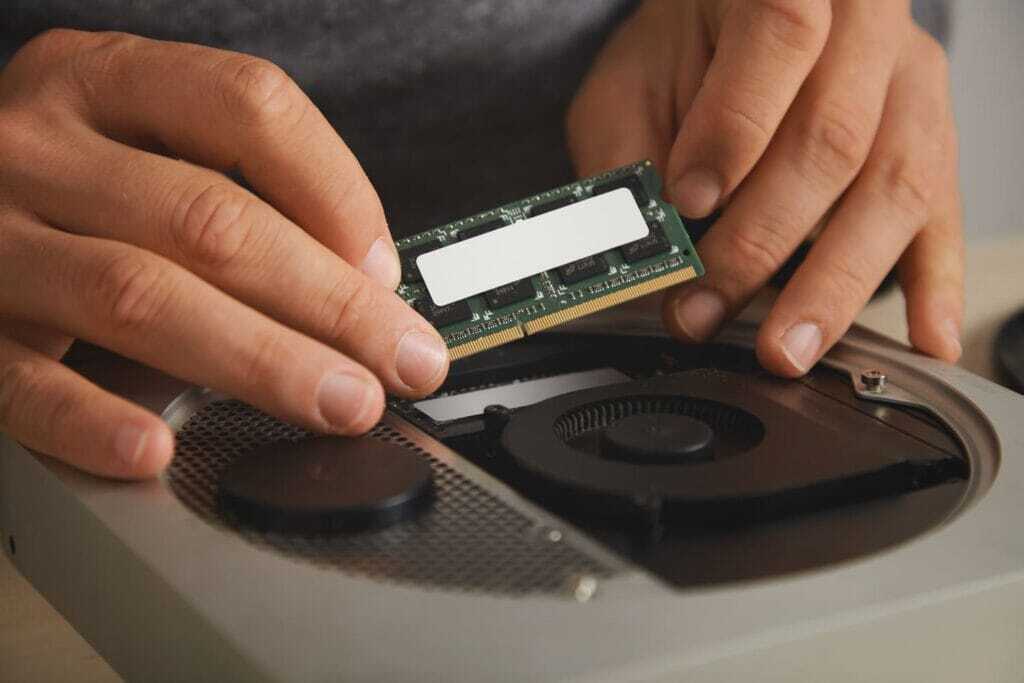
- Carefully install into M.2 or SATA slot
✅Brands like Samsung, Crucial, and WD offer top solid state drive choices in 2025.
💡 Would you like to learn more about HDD and SSD?
✅ Explore step-by-step guides, eco-product checklists, and how-to videos at: QuickGuideHub.com
❓ Frequently Asked Questions (FAQ)
Q1: Do I still need to back up data on an SSD?
A1: Yes, all drives can fail.
Q2: Why do SSDs slow down over time?
A2: When nearly full, SSDs struggle with write allocation.
Q3: Why are SSDs more expensive?
A3: Flash memory costs more to manufacture.
🧠 SSD vs HDD: A Beginner’s Guide to Storage
Take your first step toward understanding digital storage. Learn how SSDs and HDDs differ—and why SSDs are transforming how we use devices today.
⚙️ Speed and Reliability: Why SSDs Outperform HDDs
Explore how solid state drives eliminate moving parts to deliver faster boot times, quieter performance, and better durability—especially for modern workflows.
💡 Choosing the Right Drive for Your Needs
Compare SSDs and HDDs based on performance, price, and use case. Whether you’re a gamer, student, or business user, find out which one fits your needs best.