


Staying organized and motivated has never been more important for students. In 2025, the study life is full of distractions: social media, endless notifications and digital overload. The right productivity apps can help students plan their day, track tasks, stay focused and protect their mental energy. Choosing the right Student Productivity Apps 2025 is essential for all students Here are the Top 10 Apps for Students to Stay Organized, Focused and Motivated in 2025.

📌 1️⃣ Notion
Notion is more than a note-taking app — it’s an all-in-one workspace. Students can create to-do lists, manage deadlines, organize lecture notes and even collaborate on group projects. With easy templates and a flexible layout, Notion replaces separate planners, sticky notes and messy folders. Its database feature is perfect for tracking assignments, and the minimalist design keeps you focused.
In 2025, every student needs reliable Student Productivity Apps 2025 to manage tasks, boost focus and stay motivated all year.

📌 2️⃣ Todoist
Todoist has been a favorite task manager for years, but in 2025 it’s smarter than ever. With AI-powered suggestions, students can prioritize daily tasks, break projects into steps and set recurring deadlines. The clean interface makes checking off tasks satisfying. Notifications and calendar integrations ensure nothing is forgotten.
📌 3️⃣ Trello
Visual learners love Trello. Its simple board-and-card system is perfect for planning essays, semester projects or study schedules. Drag-and-drop lists help students see what’s done, what’s next and what’s overdue. Trello’s collaborative boards also make it easy to coordinate group work without endless messages. When you organize study projects visually, these Student Productivity Apps 2025 make teamwork much smoother and deadlines less stressful.

📌 4️⃣ Forest
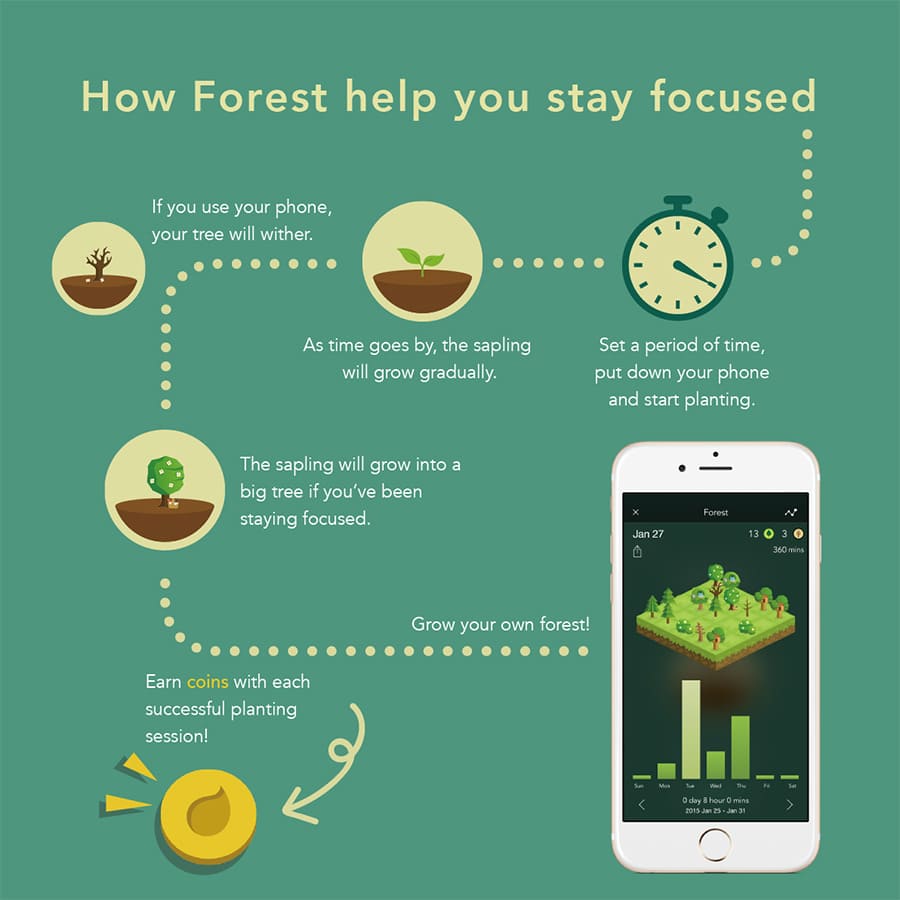
Focus is priceless for students, and Forest is a clever way to build it. When you need to study, you plant a virtual tree. If you stay focused, the tree grows. Leave the app to check social media? The tree dies. This simple method gamifies the Pomodoro technique, helping students fight phone addiction and stay present during study sessions. Forest is one of the smartest Student Productivity Apps 2025 for fighting distractions in a playful way.
📌 5️⃣ Google Keep
For quick notes and reminders, Google Keep stays unbeatable. Sticky notes, checklists and voice memos sync across devices. Students use it to jot down lecture highlights, record ideas or set location-based reminders — so you never forget that library book again.

📌 6️⃣ Microsoft To Do
Microsoft To Do combines simplicity and power. It helps students manage daily tasks, share lists with classmates and sync with Outlook calendars. The “My Day” feature gives you a fresh daily plan so you never feel overwhelmed. Integration with Microsoft 365 makes it perfect for students who already use Word, Excel and Teams.
📌 7️⃣ Evernote
Evernote remains a classic for a reason. From lecture notes to web clippings, scanned pages and handwritten ideas, Evernote keeps everything organized. Students love the powerful search, tag system and PDF annotation tools. The app’s templates save time for meeting notes and project outlines.
📌 8️⃣ Focus@Will
Music affects focus — and Focus@Will makes that science work for students. It streams instrumental music designed to boost attention and reduce distractions. Genres adapt to your work style: energetic beats for writing, calm piano for reading. In 2025, its AI engine personalizes soundtracks based on your study patterns.

📌 9️⃣ Study Bunny
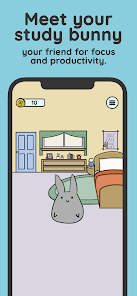
Study Bunny turns studying into a fun game. Students start a timer, earn coins for every study session and use coins to buy cute outfits for their virtual bunny. It’s simple, silly but surprisingly motivating for students who struggle to stay on track alone.
📌 🔟 RescueTime
Where does your time really go? RescueTime shows you exactly that. This app tracks how long you spend on productive apps vs. distractions. Weekly reports highlight bad habits and help you cut wasted time. Students who want serious time control love the focus sessions and website blocker. Serious students add RescueTime to their Student Productivity Apps 2025 toolkit to understand where every minute goes.

📌 Quick Comparison Table – Student Productivity Apps 2025
| App Name | Best For | Key Feature | Platform |
|---|---|---|---|
| Notion | All-in-one planning | Databases & templates | Windows, Mac, iOS, Android |
| Todoist | Daily tasks | AI smart scheduling | Windows, Mac, iOS, Android |
| Trello | Visual projects | Kanban boards | Web, iOS, Android |
| Forest | Focus sessions | Gamified Pomodoro | iOS, Android |
| Google Keep | Quick notes | Voice memos, reminders | Web, iOS, Android |
| Microsoft To Do | Task lists | Outlook sync | Windows, iOS, Android |
| Evernote | Research notes | PDF scan, tag system | Windows, Mac, iOS, Android |
| Focus@Will | Study music | AI soundtracks | Web, iOS, Android |
| Study Bunny | Gamified study | Rewards system | iOS, Android |
| RescueTime | Time tracking | Weekly reports | Windows, Mac, iOS, Android |

📌 Take the Next Step – Student Productivity Apps 2025
Choosing the best Student Productivity Apps 2025 saves time, energy and grades.
Don’t let distractions win in 2025! Download our Student Productivity Apps Checklist PDF from QuickGuideHub to compare these tools side by side and build your perfect study stack.
Need student gadgets like noise-cancelling headphones or study lamps?
👉 Visit my Trendigoshop eBay store here: Trendigoshop
📌 FAQ – Student Productivity Apps 2025
This Top 10 list helps you discover the right Student Productivity Apps 2025 for any study style.
Which app is best for daily planning?
Todoist and Microsoft To Do are great for daily task lists.
Can I use these apps for free?
Most apps have free plans with enough features for students.
How do I know which app is right for me?
Try a few! Combine Notion for big projects and Forest for focus.
Do these apps work offline?
Yes — many like Notion, Evernote and Trello sync when you’re back online.

Looking for more step-by-step tutorials? See the Practical How-To Guides hub.
Related guides: Best AI Blog Writing Tools in 2025: Top 5 Picks Compared · Top 10 Student Productivity Apps to Stay Focused and Organized in 2025