


🌊 Introduction: Why Student Productivity Apps Matter More Than Ever
In an age of constant distractions, students are finding it harder than ever to stay focused, motivated, and on track. Whether it’s managing assignments, breaking down big goals into smaller tasks, or simply maintaining concentration, the right digital tools can make all the difference.
This list of student productivity apps is carefully curated for 2025’s dynamic learning environment. Whether you’re a high school student, college learner, or lifelong online course enthusiast, there’s something here to level up your study game. If you’re looking to streamline your academic life, you’ll want to explore these student productivity tools.

📌 Notion — All-in-One Digital Workspace
Notion is an all-in-one productivity hub where you can take notes, manage to-dos, create wikis, and track projects collaboratively. It’s especially powerful for students juggling different types of coursework.
👉 Try Notion
➡️ One of the most versatile student productivity apps, Notion supports everything from simple to-do lists to full course planning.
What It Does: Combines note-taking, task lists, calendars,and wikis.
Why It Works: Offers complete flexibility and customization. Perfect for creatingdashboards for school subjects, to-dos, and class notes.
Free/Paid: Free for students.
Best For: College and graduate students who need project-level organization.

📌 Forest — Stay Focused by Growing Trees
Forest gamifies focus: you plant a tree and it grows while you stay off your phone. Great for minimizing distractions during study sessions.
👉 Download Forest
➡️ Forest stands out in the student productivity apps space by gamifying focus and time management.
What It Does: Uses a Pomodoro timer where a treegrows while you focus.
Why It Works: Gamifies your focus time and prevents phone usage.
Free/Paid: Free with optional upgrades.
Best For: Students who struggle with phone distractions
📌 Todoist — Task Manager That Actually Works
Todoist helps you stay on top of your to-dos with a clean, intuitive interface and priority-based task sorting. It’s perfect for breaking large assignments into smaller steps.
👉 Explore Todoist
➡️ With features built for efficiency, Todoist ranks high among top student productivity apps for task organization.
What It Does: A smart to-do list app with recurringtasks, reminders, and labels.
Why It Works: Great for daily planning, managing assignments, andbreaking tasks into manageable chunks.
Free/Paid: Free basic plan.
Best For: All students needing alightweight planner.

📌Grammarly — Writing Assistant for Academic Work
Grammarly is your 24/7 writing assistant. It corrects grammar, checks tone, and helps polish essays, assignments, or emails.
👉 Use Grammarly
➡️ As a language-enhancing tool, Grammarly enhances written communication and ranks among the best student productivity apps for writing tasks.
What It Does: Checks grammar, spelling, andclarity in essays and reports.
Why It Works: Saves time editing and helps improve writing skills.
Free/Paid: Free with premium options.
Best For: Anyone writing essays or theses.
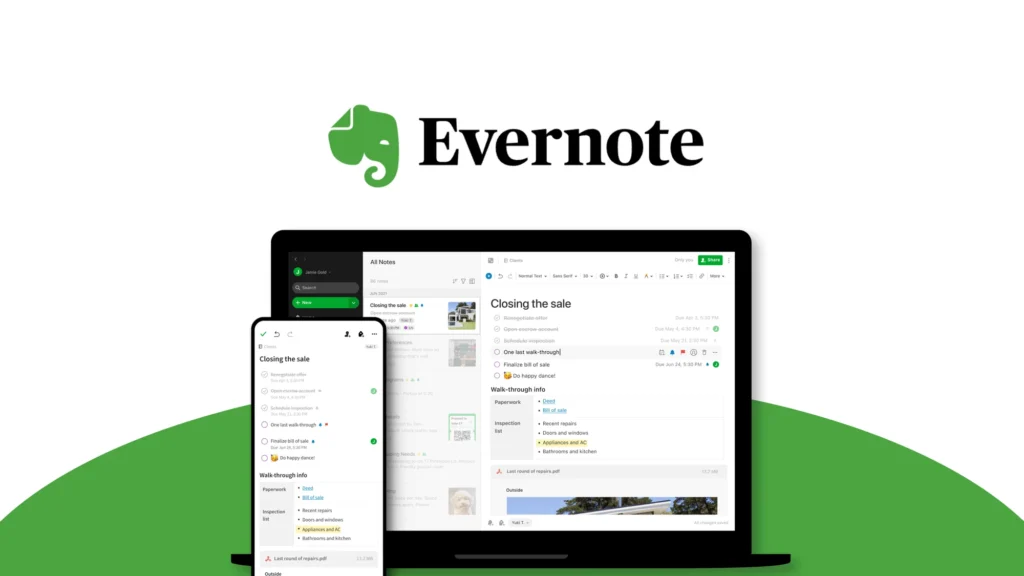
📌Evernote — Notes, Web Clipping & Organizing Tool
Evernote helps students collect ideas, web clips, and handwritten notes in one place. Sync across all devices and search everything.
👉 Get Evernote
➡️ A time-tested entry among the top student productivity apps thanks to its organization features.
What It Does: Lets you clip articles, organizeclass notes, and create notebooks.
Why It Works: Ideal for research-heavy courses and literaturereviews.
Free/Paid: Limited free version.
Best For: High school & college students.
.
📌 Google Calendar — The Ultimate Planner
Google Calendar helps you block time for focused study, assignments, and breaks — all with smart reminders.
👉 Open Google Calendar
➡️ One of the most widely-used student productivity apps, essential for time blocking and academic planning.
What It Does: Schedule classes, set reminders,integrate with email.
Why It Works: Clean, simple, and universally accessible.
Free/Paid: Completelyfree.
Best For: Everyone, especially those with fixed class timetables

📌 Anki — Flashcards with Spaced Repetition
🧠 Anki — Hafıza Güçlendirme İçin Flashcards
Anki, tekrar algoritması sayesinde ezber gerektiren konuları öğrenmek isteyen öğrenciler için idealdir. Dil öğrenimi, tıp terimleri veya tarih çalışmaları için birebirdir.
🔗 Visit Anki
➡️ For memorization and active recall, Anki remains a powerhouse in the student productivity apps ecosystem.
What It Does: Digital flashcards that help memorizeconcepts using spaced repetition.
Why It Works: Proven method for long-term memory retention.
Free/Paid: Free.
Best For: Medical, language, and STEM students.

📌 Microsoft To Do — Task Lists by Microsoft
A minimalist task manager from Microsoft with deep integration into the Office ecosystem. Perfect for students already using Word, Excel, or Outlook.
🔗 https://todo.microsoft.com/
➡️ A clean and intuitive interface makes Microsoft To Do a go-to choice in modern student productivity apps.
What It Does: Organizes tasks by subject, deadline, orpriority.
Why It Works: Syncs across devices and integrates with Outlook.
Free/Paid: Free.
Best For: Students in structured academic environments
📌 Trello — Visual Task & Project Management
Trello uses a board and card system that makes organizing tasks for group projects or semester planning super visual and effective.
👉 Visit Trello
➡️ Trello is one of the most collaborative-friendly student productivity apps for managing academic projects.
What It Does: Uses boards and cards to organizesubjects, assignments, and group work.
Why It Works: Visual learners benefit from drag-and-droptask organization.
Free/Paid: Free basic tier.
Best For: Collaborative projects and creative students.
📌 Headspace — Meditation and Mental Wellness
🧘 Headspace — Meditasyonla Zihinsel Netlik
Headspace, özellikle sınav haftalarında stres ve kaygıyı azaltmak için rehberli meditasyon sunar. Öğrenciler için sabah rutini ve uykuya geçiş meditasyonları öne çıkar.
🔗 Visit Headspace
➡️ Maintaining mental clarity is key to productivity — that’s why Headspace deserves its place among top student productivity apps.
What It Does: Offers guided meditations andmindfulness sessions.
Why It Works: Reduces stress and increases focus, especially before exams.
Free/Paid: Student discount available.
Best For: Students facing anxiety or burnout.

Choosing the Right App for You: Quick Comparison Table
| Feature | Ideal For | Suggested App |
|---|---|---|
| Focus Sessions | Short attention spans | Forest |
| Note Organization | Deep research | Notion, Evernote |
| Task Planning | Daily & weekly scheduling | Todoist, Google Calendar |
| Collaboration | Group projects | Trello |
| Stress Management | Mental clarity & calm | Headspace |
Bonus Tips to Maximize Your Productivity
Customize notification settings to reduce distraction.
Use a combination: e.g., Notion + Forest + Headspace for full coverage.
Plan your week every Sunday night.
Always sync apps with calendar tools.
🧠 Comparing the Apps: Which One is Right for You?
Here’s a quick comparison table to help you pick the best app depending on your needs:
| App Name | Main Function | Best For | Platforms | Free Version? |
|---|---|---|---|---|
| Notion | Note-taking + Planning | All-in-one workspace | Web, iOS, Android | ✅ Yes |
| Todoist | Task Management | Prioritizing assignments | Web, iOS, Android | ✅ Yes |
| Forest | Focus Booster | Avoiding distractions | iOS, Android | ✅ Yes |
| Trello | Visual Task Boards | Group projects, planning | Web, iOS, Android | ✅ Yes |
| Google Calendar | Time Management | Scheduling & organization | Web, iOS, Android | ✅ Yes |
| Grammarly | Writing Assistant | Essays, assignments | Web, Extensions | ✅ Yes |
| Headspace | Guided Meditation | Reducing stress & anxiety | iOS, Android | ✅ Limited |
| Anki | Flashcard Memory Aid | Memorization, exam prep | Desktop, Mobile | ✅ Yes |
| Evernote | Note Organization | Saving ideas & research | Web, iOS, Android | ✅ Yes |
| Microsoft To Do | Task List & Planning | Quick reminders & to-dos | Web, iOS, Android | ✅ Yes |
➡️ Choosing the right student productivity apps depends on your study style — pick one or mix several for maximum impact.

💡 Want more ways to boost your academic life?
✅ Explore productivity guides and checklists on QuickGuideHub.
🛍️ Looking for tech gear and student essentials?
✅ Visit Trendigoshop Store
❓ Frequently Asked Questions (FAQ)
Q1: What’s the best free app for student productivity?
A1: Notion and Todoist offer robust features for free, ideal for students.
Q2: Are these apps available on Android and iOS?
A2: Yes, all listed apps work on both platforms.
Q3: How do I stick with using these apps?
A3: Start small, create routines, and set daily goals.
Q4: Are there apps that work offline?
A4: Yes. Notion, Anki, and Microsoft To Do have offline capabilities.
Q5: Can these apps replace paper planners?
A5: Absolutely, and they offer better integration, reminders, and backup options.
➡️ Start using the right student productivity apps today and transform how you learn!

Top 10 Tools to Master Time Management in School
📌 Learn how to optimize every study hour with the right tools.
Best Study Hacks for Exam Success in 2025
📌 Discover productivity tricks and study methods that actually work.
Beginner’s Guide to Building Daily Study Routines
📌 Create habits that improve consistency, focus, and learning speed.

Looking for more step-by-step tutorials? See the Practical How-To Guides hub.
Related guides: Best AI Blog Writing Tools in 2025: Top 5 Picks Compared · Best AI Image Generators to Create Stunning Visuals Without Design Skills